Technology Posture: Phones, Laptops, and the Modern Spine
How smartphones, laptops, and tablets systematically load the cervical and lumbar spine — the biomechanics of tech neck, and practical setups for every device.
The Weight You Don't Feel
Your head weighs approximately 10–12 pounds in a neutral, upright position. That load is distributed efficiently through the cervical vertebrae when the ears sit directly over the shoulders. Tilt the head forward and the effective weight on the cervical spine increases dramatically — not because your head gets heavier, but because leverage amplifies the force required to hold it up.
In 2014, spinal surgeon Kenneth Hansraj published a biomechanical analysis in Surgical Technology International that produced numbers that now appear in almost every posture article online, sometimes accurately, sometimes not. The core finding is worth understanding precisely: at 15 degrees of forward head tilt, the effective load on the cervical spine is approximately 27 pounds. At 30 degrees, 40 pounds. At 45 degrees, 49 pounds. At 60 degrees, 60 pounds.
Those are forces the cervical musculature must generate to counteract. The muscles responsible — the semispinalis, splenius capitis, upper trapezius, and suboccipital group — were not designed to maintain sustained eccentric load for hours daily. The result is progressive fatigue, soft tissue shortening, and over time, altered cervical curve mechanics.
What angle is 60 degrees of forward tilt? It is the posture most people adopt when reading a phone held in the lap. What is 30 degrees? Reading a phone held partway up, or looking at a laptop screen positioned low on a desk. The reason "tech neck" has become a clinical category in the last decade is simple: the average person spends 4–6 hours per day in these postures.
Phone Use: The Steepest Load
The phone is the worst offender precisely because it is always with you and most naturally held low. The social norm of looking down at a phone — on a train, in a waiting room, while walking — means sustained cervical loading that would have been unusual before 2007.
Practical mitigation is straightforward in principle, difficult in habit:
Raise the phone to eye level. This is the single most effective intervention. Holding the phone at face height reduces the head-forward angle to near zero. The objection is that this looks odd in public. That concern is understandable but misplaced — the long-term cost of sustained cervical loading outweighs the social awkwardness of holding a phone at eye level.
Use two hands, not one. Single-handed phone use with the thumb operating the screen causes the phone to be held lower and with a slight wrist-extension load. Two-handed use allows higher, more stable positioning.
Limit sustained scroll sessions. The cervical muscles fatigue under sustained load. Ten-minute microbreaks — during which the neck returns to neutral and ideally performs gentle retraction — matter more than perfect posture throughout a long session. Perfect posture held for an hour is not achievable; neutral recovery every 15–20 minutes is.
Disable automatic video play on social platforms. Much of passive phone use involves watching video content, which anchors the posture. Controlling when video plays reduces unplanned extended sessions.
Hansraj's 2014 figures are often cited as if they represent the literal weight on the cervical discs. They are actually estimates of compressive force in the posterior musculature — the muscles working to prevent the head from falling forward. The distinction matters: actual disc compression in the cervical spine involves additional factors. The core point holds: forward head posture substantially increases muscular loading.
Laptop Ergonomics: The Unavoidable Compromise
Laptops are ergonomically hostile devices. The screen and keyboard are fixed to each other, which means any setup that positions the screen at eye level places the keyboard too high, and any setup that positions the keyboard correctly for the arms places the screen too low. This is not a design flaw that will be corrected — it is inherent to the form factor.
The practical solution is to decouple them. A laptop used regularly at a desk should be elevated on a stand and used with an external keyboard and mouse. The screen should be at a height where the top third of the display is at eye level — meaning eyes naturally rest on the upper portion of the screen when the head is neutral. Most people set their screens too low because they have been told the top of the screen should be at eye level, which is correct for monitors at arm's length but slightly high for a laptop screen positioned closer.
When a separate keyboard is not available — in a coffee shop, on a train, at a hotel desk — the priority shifts. For sessions under 30 minutes, the keyboard-height compromise (screen below optimal) is acceptable. For extended sessions, the screen-height compromise (keyboard too high, elbows flared) is worse for the cervical spine. Choose the stand when you need to work for more than an hour.
Screen distance matters for a different reason: the further the screen, the more the eyes work to focus, and the more the head tends to jut forward to compensate for inadequate text size. The rule is simple — if you are leaning forward to read the screen, the font is too small or the screen is too far away. Increase text size rather than closing the distance.
Screen angle on a laptop matters too. Tilting the screen backward increases its effective height, which partially compensates for a low-positioned laptop when a stand is unavailable.
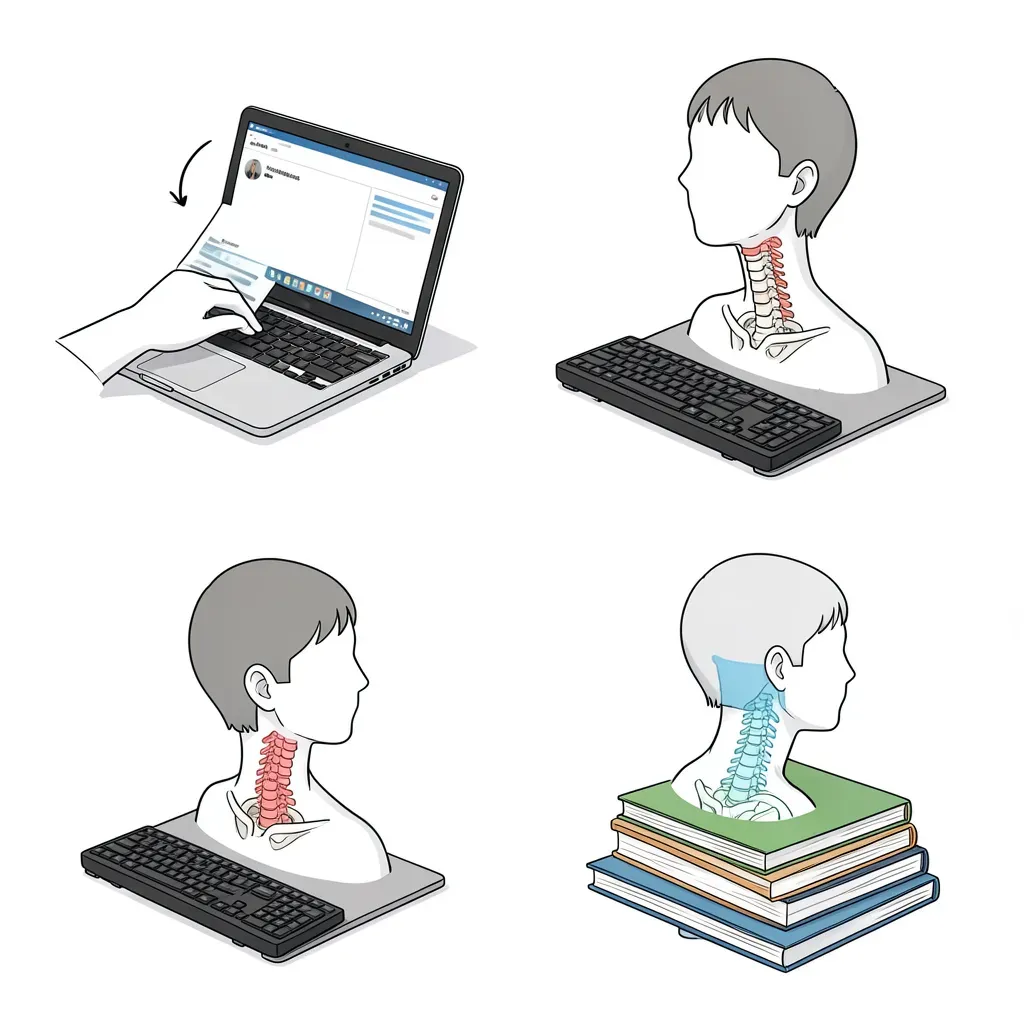
Tablet Use: The Worst of Both Worlds
Tablets occupy an awkward middle position. Larger than phones, they are more often used for reading, watching video, and light work — activities that tend to involve sustained static posture. Smaller than laptops, they rarely get the dedicated stand-and-keyboard treatment. The result is that tablets are frequently used flat on a lap or table, producing 45–60 degree head tilt for extended periods.
The same principles apply: a tablet case with a stand function allows the screen to be elevated and angled toward the viewer, substantially reducing the required head tilt. For reading, holding the tablet upright against the knees while sitting reclined achieves a reasonable screen angle with less cervical load than flat-on-lap use. For bed use — a major tablet context — a pillow positioned under the tablet to bring the screen to face height is better than holding the tablet unsupported.
Typing on a tablet is particularly poor ergonomically: the flat, low-positioned keyboard requires forward head tilt combined with wrist extension. For any substantial text entry, a Bluetooth keyboard allows the same stand-elevated-screen benefit as a laptop with an external keyboard.
Standing Desks: The Evidence and the Reality
Sit-stand desks have strong marketing and more moderate evidence. The evidence does support that prolonged sitting is associated with low back pain and that varying posture through the day reduces spinal loading. The evidence does not support that standing all day is better than sitting all day — it may simply shift the load differently.
The current evidence-based recommendation is posture variation rather than any particular single posture. A rough target is spending no more than 20–30 consecutive minutes in any single position — sitting or standing — before changing. The practical implementation for a desk worker is a standing interval of 20–30 minutes for every hour or two of seated work, not standing for the full day.
Common mistakes with standing desks:
Wrong height. The desk should be at elbow height with the arms relaxed at the sides — slightly higher than typical seated desk height. A desk set for sitting that is simply raised often ends up too low for comfortable standing, producing the same forward-lean and head-tilt problem at the standing desk as at the seated one.
Asymmetric weight-bearing. Standing with the weight predominantly on one foot (hip-cocked, one knee slightly bent) is a common rest position that loads the lumbar spine asymmetrically. A small footrest to alternate foot elevation, or an anti-fatigue mat, encourages more frequent weight shifts.
No footwear. Standing on hard floors in bare feet or thin socks for extended periods substantially increases foot and leg fatigue and can reflexively tighten the posterior chain. The footwear section addresses this in detail — it applies equally to stand-up desk use.
Microbreaks and the Cervical Reset
The single most actionable intervention for technology-related neck and upper back pain is not better furniture — it is movement frequency. Research on office workers consistently shows that frequent short breaks (2–3 minutes every 30 minutes) reduce end-of-day pain and discomfort more effectively than a single long break midday.
A cervical microbreak does not require a dedicated exercise program. It requires: stopping the screen task, returning the head to neutral over the shoulders, performing 5–10 chin tucks (gently retracting the head to create a "double chin" — which places the cervical spine in its most neutral position and stretches the suboccipital muscles), and rotating the head slowly side-to-side twice. This takes 60–90 seconds. Done every 30 minutes throughout a workday, it accumulates to under 20 minutes of total time while meaningfully countering the postural load of the day.
Automated reminders are useful. Most operating systems have built-in tools (Breaks for Eyes, Time Out on macOS, the built-in reminder feature in Windows 11) that enforce these intervals through screen dimming or pop-up prompts. The key is that the reminder must be interruptive enough to actually pause the task — a notification that can be dismissed with one click while continuing to type is ignored within a week.
The chin tuck is the most evidence-supported cervical exercise for forward head posture correction. It is not a dramatic movement — the goal is gentle retraction that elongates the cervical spine, not forceful compression. Ten repetitions, held 2–3 seconds each, performed every 30–40 minutes during screen work, is both achievable and clinically meaningful.
Desk Chair and Monitor Alignment
Lumbar posture during desk work is driven primarily by seat configuration and monitor position working together. A chair that supports a neutral lumbar lordosis does not automatically produce neutral posture if the monitor is positioned too far forward, too low, or too far to one side — all of which pull the spine toward the screen.
The checklist for an aligned seated workstation:
- Feet flat on the floor or on a footrest, not tucked under the chair
- Knees at approximately 90 degrees or slightly below hip height
- Lumbar support contacting the small of the back, not the mid-back
- Elbows at roughly 90 degrees with the keyboard at elbow height
- Screen at arm's length (50–70 cm for most users)
- Top of the screen at or slightly below eye level
- No twisting toward a secondary screen — secondary screens should be directly beside the primary, not behind or far to the side
The monitor being off to one side is one of the most overlooked contributors to cervical and thoracic pain in desk workers. Spending eight hours with the head rotated even 15–20 degrees to read a screen generates sustained asymmetric loading on the cervical musculature.
Working with a laptop on a sofa or in bed — particularly lying on the side with the laptop propped on the mattress — combines nearly every ergonomic risk factor simultaneously: forward head posture, cervical side-bending, lumbar flexion, and absence of arm support. Brief use is not clinically significant. Treating the sofa as a regular workstation is. If you regularly work from a non-desk location, invest in a lap desk with an elevated stand function rather than working directly from the device.
In Review
- At 60 degrees of forward head tilt (typical phone-in-lap posture), the effective cervical muscular load is approximately 60 pounds — six times the neutral load
- Raising your phone to eye level is the highest-impact single change for cervical loading from phone use
- Laptops require decoupling the keyboard and screen (external keyboard plus stand) for sustained desk use
- Tablets are most often used in the worst configurations — a stand case or elevated pillow changes this substantially
- Standing desks help through posture variation, not through replacing sitting — target no more than 20–30 consecutive minutes in any single position
- Microbreaks every 30 minutes with chin tucks reduce end-of-day cervical pain more reliably than ergonomic furniture alone
- Monitor off-center to the side is an underappreciated driver of cervical and thoracic pain in desk workers
- The chair supports lumbar posture but cannot override a monitor that pulls you toward it — align both together